What compression actually does
A compressed archive is a single file that holds one or more other files in a smaller form. The .zip format, for example, scans data for repeated patterns and stores each pattern once instead of many times over. Unpacking reverses the process and restores every original file byte for byte.
Two things happen at once. Files are bundled into one container, and that container is shrunk. That is why a folder of two hundred text files can travel as a single email attachment a fraction of its original size, and why a software download often arrives as one archive rather than thousands of loose files.
Already-compressed data – photos saved as .jpg, video as .mp4, music as .mp3 – barely shrinks when you zip it. The redundancy was removed the moment the file was first saved, so there is little left for the archiver to find. Zipping such files mostly just bundles them together.
Why it is worth doing
Compression earns its keep in two everyday situations. The first is moving files: a smaller archive uploads and downloads faster, slips under email attachment limits, and is far less likely to fail part-way over a shaky connection. The second is storing them: a folder of documents or logs that you rarely touch can sit on disk at a fraction of its size, and as a single tidy file rather than a sprawl of loose items.
There is a quieter benefit too. Bundling many files into one archive keeps them together – names, folders and structure intact – so nothing is lost or reordered in transit. That is why software, design assets and data exports are almost always shipped as a single archive rather than hundreds of separate downloads. Whether the goal is speed, space or simply keeping a set of files in one piece, an archive is usually the answer.
How the common formats compare
Most archives you meet are one of four formats. They differ in how hard they squeeze, how widely they open without extra software, and whether they can carry repair information. The table below is the short version; the format guide goes deeper.
| Format | Opens natively on | Typical strength | Best for |
|---|---|---|---|
| .zip | Windows, macOS, Linux, phones | Moderate | Sharing anywhere, no extra app |
| .7z | Needs 7-Zip or a compatible app | Highest | Squeezing large folders hard |
| .rar | Needs an extractor | High | Multi-part sets, recovery records |
| .tar.gz | Linux, macOS | Moderate to high | Backups and source code |
For everyday sharing, .zip is the safe default because it opens on practically everything without a download. When file size matters more than reach – archiving a big project folder, for instance – .7z usually wins. The format comparison guide walks through when each one earns its place.
Not sure which format to pick?
Answer three quick questions and get a recommendation, with a one-line reason. Nothing is sent anywhere – the suggestion is worked out right here on the page.
1. Who needs to open the file?
2. How much does file size matter?
3. Do you need built-in repair records?
Where to start
These references cover the everyday jobs in plain language. Each one stands on its own, so jump to whichever question brought you here.
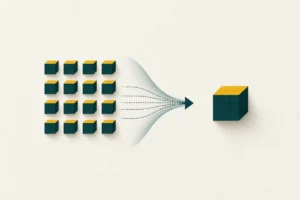 How ZIP compression worksThe simple idea behind shrinking files: store repetition once, bundle the rest, and restore everything byte for byte.
 ZIP vs RAR vs 7z: which format to useZIP opens everywhere, 7z squeezes hardest, RAR adds recovery records. Here is how to choose between them for any job.
 How to open and extract a ZIP fileStep-by-step extraction on Windows, macOS, Linux, Android and iPhone - plus what to do when an archive will not open.
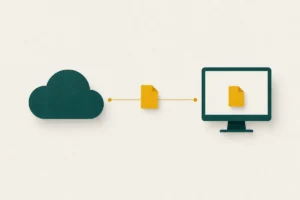 Compressing files: online vs desktop toolsOnline tools need no install but upload your files; desktop tools keep data local with no size cap. When to use each.
Common questions
Does zipping a file reduce its quality?
No. Standard archive formats are lossless, which means every byte is restored exactly when you extract. Quality loss only happens with media codecs, never with ZIP, RAR or 7z.
Why did my ZIP barely get smaller?
The contents were probably already compressed. Photos, video and music have most of their redundancy removed when they are first saved, so archiving them again gains very little.
Can any device open a ZIP file?
Windows, macOS, Linux and modern phones all open .zip without extra software. Formats such as .rar and .7z usually need a free extractor app.
Is it safe to open an archive from someone I do not know?
Treat it with the same caution as any attachment. The archive itself is harmless, but it can contain programs or scripts. Scan unfamiliar files before running anything inside them.